
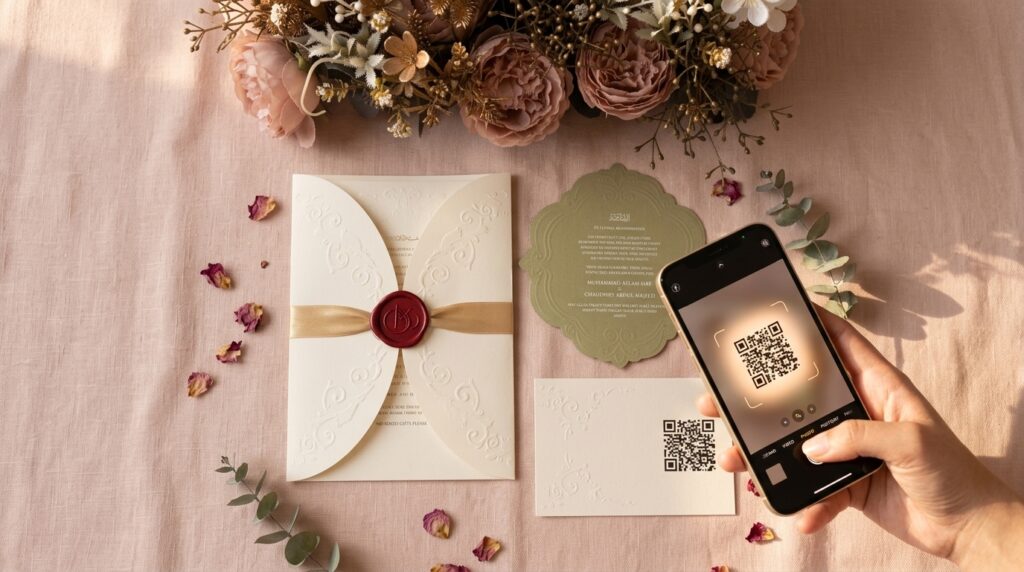
You picked the paper. You picked the wax seal color. You picked the font three times before it felt right. And somewhere in the middle of all that, you added a small QR code in the corner — the one guests scan for your RSVP, your wedding website, your registry, maybe the livestream link for family who can’t fly in.
Then, a week before the wedding, someone texts you: “Hey, I think your QR code is broken?”
If that’s ever happened to you — or you’re trying to make sure it never does — you’re not imagining things, and you’re not bad at this. QR codes fail or “expire” on printed wedding stationery for a small number of very specific, very fixable reasons. This guide walks through exactly why it happens, and what actually stops it for good, whether you’re a couple choosing your invitations right now or a stationer building this into how you print for clients.
No one should be troubleshooting a scan code on their wedding day. Let’s make sure they don’t have to.
The short version: build your code with a generator made so this can’t happen — one that never expires and never caps how many guests can scan it. QRSen’s free QR code generator does exactly that, and it takes about a minute to make one for your invitations. Now, here’s exactly why most codes fail in the first place, so you know what to check before anything goes to print.
Why QR codes fail or “expire” before — or after — printing
There are a few things that commonly cause this, and once you know them, they’re easy to avoid.
1. The QR code was never permanent to begin with
This is the big one, and it’s the one nobody explains up front. A lot of free QR code tools generate what’s called a dynamic QR code — the code itself just points to a redirect link controlled by that company’s server. It works fine while your free trial or free plan is active. But if the account expires, the scan limit is hit, or the company simply shuts that redirect off, the printed code on your invitation goes dead — and there is no way to fix a code that’s already been printed and mailed out.
This is why a code can “work” the day you made it and be broken three months later when your wedding actually happens. It was never really yours; it was borrowed for as long as someone else’s server stayed on.
The fix is a static QR code — one where the destination is encoded directly into the pattern itself, with no redirect service standing in the middle. There’s no account to expire and no server that can go down, because there’s no server involved in the first place. It scans exactly the same the day you print it and the day of your wedding, full stop.
2. The printing itself works against the code
Even a perfect, high-resolution QR code can fail once it hits paper, foil, or fabric. The most common culprits:
- Glossy or foiled finishes — gorgeous on a wax seal invitation, but glare off a glossy surface can confuse a phone’s autofocus.
- Low contrast — a code printed in gold ink on cream cardstock looks elegant and often won’t scan; standard dark-on-light contrast is what a camera actually needs.
- Printing too small — a code that reads fine at 4×4 cm on your screen can fail once shrunk to fit a delicate corner of a boxed invitation liner. As a rule, don’t go below roughly 2×2 cm for a code meant to be scanned up close.
- Skipping the test print — the single biggest save available to anyone printing at scale. Before a bulk run of 150 invitations, print one and test it with two or three different phones.
QRSen’s guidance on printing QR codes goes deeper into paper stock, contrast, and sizing if you want to get this exactly right before a print run goes out the door.
3. There was never a way to know how many people it needed to serve
If your guest list is 200 people and your code is on the invitation, the save-the-date, and a table sign, a “limited scans” plan can quietly run out — usually without any warning until someone’s phone shows an error. A code built for unlimited scanning removes this entire category of failure before it can happen.
The actual fix: one code, made once, that keeps working
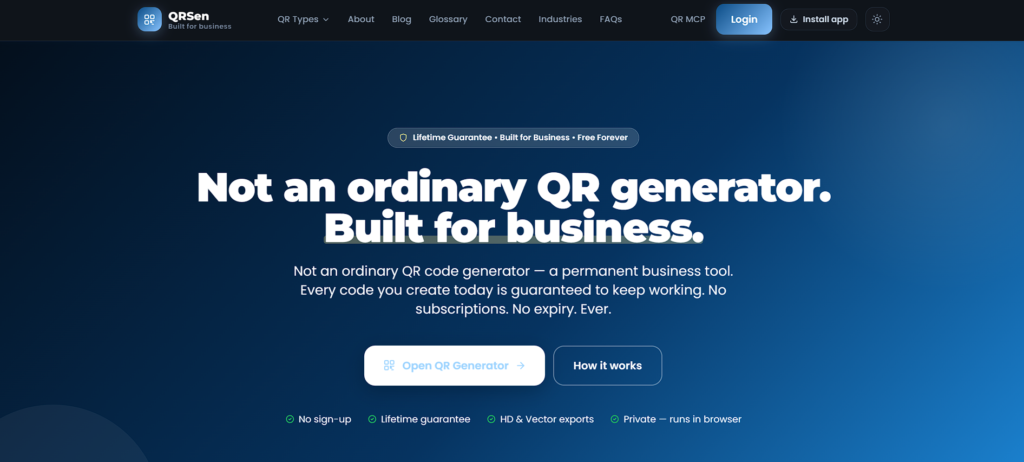
Here’s the part that matters most if you don’t want to think about any of this again: a QR code doesn’t have to be fragile. QRSen builds theirs specifically to remove every failure point above —
- It never expires. The destination lives inside the code itself, not on a server that can go offline. “Works forever” isn’t a slogan here — it’s just how a static code is built.
- No scan limits, ever. Whether two guests scan it or two thousand, it behaves exactly the same.
- Print-ready from the start. Every code exports as a crisp HD raster (2048×2048 px) or an infinitely scalable SVG — no blur, no re-rasterizing, no guesswork for your printer.
- No account, no login, no expiring trial. You generate the code, download it, and it’s done — nothing to renew before the wedding.
That combination is exactly why it’s become the option printing presses and stationers reach for when they need something they can hand to a client without a follow-up call three months later. If you want to build one for your own invitations, QRSen’s free QR code generator takes about a minute and needs nothing but the link you want guests to land on — your RSVP form, your wedding website, or your registry.
Why your QR code might look blurry once it’s printed
This is worth its own section, because it’s the most common single cause of a QR code failing after printing — and it almost never starts at the printer. It starts on a laptop, weeks earlier. Someone takes a small QR code image (a screenshot, a tiny PNG pulled off a generator) and drags the corner to make it bigger inside their invitation design file. The code looks fine on screen. Then it prints fuzzy, pixelated, or simply won’t focus for a phone camera.
If you want the full breakdown, QRSen’s guide on why QR codes turn out blurry covers this in detail — but the short version is: never resize a small QR code image up. Generate it at (or above) the final print size, ideally as a vector SVG file, which stays perfectly sharp at any size because it isn’t made of pixels at all.
Where this matters most on your invitations
Not every part of a wedding suite treats a QR code the same way, and this is usually where things go quietly wrong — the design is beautiful, and the code just gets caught in the crossfire.
Wax seal and modern invitation suites
Wax seals, foil accents, and richly colored cardstock are exactly the combination that can trip up a QR code — high texture, low contrast, and glare are all working against the scan at once. That doesn’t mean you skip the wax seal (please don’t — it’s often the whole point). It means the code itself should be built to survive it: high-contrast, correctly sized, exported clean, and printed with the finish tested first. If you’re still choosing your suite, our Modern Wax Seal invitations are designed with exactly this kind of detail in mind — beautiful enough for the seal, practical enough for the scan code sitting next to it.
Boxed invitations
Boxed suites tend to carry more elements — a liner, an insert card, sometimes a ribbon or a monogram tag — which means there are more places a QR code could end up too small or too low-contrast to work. It also means there’s more room to do it right: a dedicated insert card with a properly sized, high-contrast code reads far better than one squeezed into a decorative corner. Our Boxed Invitation collection gives you that extra real estate to include an RSVP code that actually works, without compromising the layered, luxury feel the box is built for.
RSVPs and event check-in
If your code is doing double duty — RSVP now, check-in or table assignment later — it’s worth treating it like an event tool rather than a decoration. You can build one for event check-in in the same generator, so it holds up under real guest traffic on the day itself, not just in testing.
A pre-print checklist (save this before you send anything to the printer)
- ☐ Code was generated as static QR (not tied to a trial, subscription, or account that could lapse)
- ☐ Exported as SVG, or a PNG at full final print size — never resized up from something smaller
- ☐ Dark code on a light, matte background wherever possible
- ☐ At least 2×2 cm for up-close scanning; larger for signage or table cards
- ☐ One test copy printed and scanned with 2–3 different phones before the full run
- ☐ No scan cap on the plan or tool used to generate it
For stationers and print shops: building this into your workflow
If you’re the one printing these — not just choosing them — the stakes are a little different. A blurry or dead QR code isn’t just a bad guest experience; it’s a support call, a reprint, or a client who quietly doesn’t come back. The fix is the same one couples need, just applied earlier in your process:
- Standardize on static, unlimited-scan codes across every job, so “the QR code stopped working” simply isn’t a support ticket that can happen.
- Ask for or generate vector (SVG) files by default, so resizing across product lines — invitation, insert card, table sign — never re-introduces blur.
- Build a one-copy test print into your proof stage, the same way you’d proof color or check for typos, especially on foiled, glossy, or dark-background stock.
- Keep the source file, not just the final print — if a client needs the code reprinted on a different product later, you shouldn’t need to regenerate it from scratch.
None of this requires new software or a procurement process. A QR generator built specifically not to expire, cap scans, or require an account is a five-minute addition to a print workflow — and it’s one less thing that can go wrong on someone else’s most important day.
Quick answers
Yes — but only if it was built as a dynamic code tied to a service that can shut off, hit a scan limit, or lapse on a subscription. A static code, where the destination is encoded directly into the pattern, doesn’t expire, because there’s no service standing between the code and the link it points to.
Almost always because the source image was scaled up from something smaller than the final print size. The fix is regenerating it as a vector (SVG) or a correctly sized PNG rather than stretching the existing file. Full detail: why QR codes turn out blurry.
As a general rule, don’t go below about 2×2 cm for codes meant to be scanned from a close distance, like an invitation or table card. Larger signage can afford larger codes and more scanning distance.
No — and if a tool requires one to generate a permanent code, that’s worth a second look, since it’s usually a sign the code is dynamic and could stop working if that account ever lapses.
However you’re getting there — a hand-lettered wax seal suite, a layered boxed invitation, or a simple RSVP card — the code on it should be the one detail you never have to think about twice. Build it once, print it once, and let it just work: qrsen.com/qr-generator.